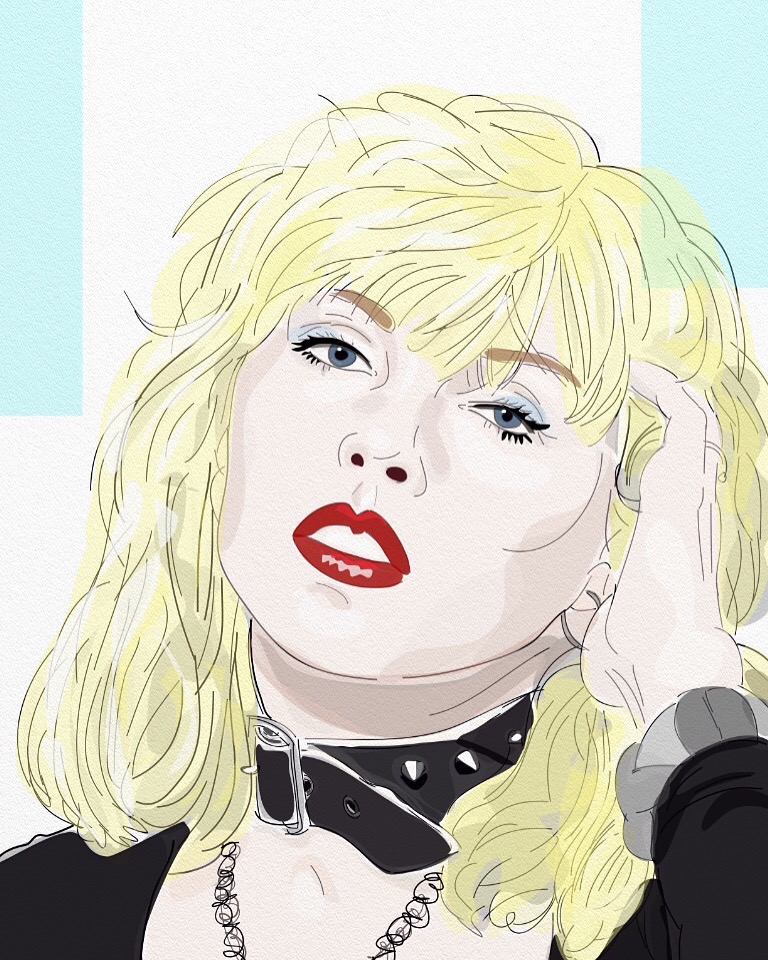
Week 43: Egon Scheile, originally uploaded by Ritaflo.
Imagining what an Egon Scheile painting might look like if it was created using the iPhone App Brushes. Created for the iPhone/iTouch painting on an assigned subject group on Flickr.
Week 43: Egon Scheile, originally uploaded by Ritaflo.
Imagining what an Egon Scheile painting might look like if it was created using the iPhone App Brushes. Created for the iPhone/iTouch painting on an assigned subject group on Flickr.
Must be Santa…, originally uploaded by Ritaflo.
I’ve been away from blogging and creating the last couple of days due to the holidays. Wishing everyone Merry Christmas and/or happy holidays!
Self portrait with rose, originally uploaded by Ritaflo.
A digital collage created with Layers iPhone App.
A while back I had created a tutorial for creating digital collages with Sketchbook Mobile. One of my favorite iPhone Apps for creating collages is Layers. When I first got Layers I was disappointed in it after seeing all the impressive artwork that other “fingepainters” were creating. It took me about a month to really figure out how to use Layers. I usually do a mash up of several apps when use Layers, importing artwork i’ve made from Brushes and Sketchbook Mobile.
In this collage I’ve used an abstract design I created in Sketchbook Mobile for the bottom layer:
I added some collage elements from photos I had taken and a Lotteria card:
Photo taken at Antique Store
Lotteria Card
I layered these elements over an old black and white photo that I tinted using a clear layer.
Lastly I added text from a book. I Layered the images together and used the eraser tool to edit out parts of the pictures I didn’t want:
Screen shot of the layering process
View from the walkway , originally uploaded by Ritaflo.
Created with Brushes iPhone App. This is another view of Wildwood, New Jersey.
Something Wild, originally uploaded by Ritaflo.
Created using Brushes iPhone App. The original photo was taken on the Boardwalk at Wildwood, NJ. I guess its the New Jersey shore’s version of the “Hollywood” sign. I really love this image and keep going back to it at different angles and different times of day.
Figure drawing, originally uploaded by Ritaflo.
I was experimenting with Vellum, a new iPhone App. There are only three “brushes” you can use, Ink, Graphite and Scratch. I like the Graphite “brush” because as the lines get thicker it looks more like charcoal. The app is very limited though because it doesn’t have an “undo” function, so you have to use the “Scratch” brush to erase.
Week 40: Leonor Fini, originally uploaded by Ritaflo.
Reinterpretation of a Leonor Fini painting “La gardienne des sources”, 1967, using Brushes on the iPod Touch. I found the painting on Google search and the colors vary a lot depending on which site you look at. The image reminds of the kinds of figurative paintings I was doing in the late 80’s.
Portrait of Leonor Fini with Cat, originally uploaded by Ritaflo.
Graphite on Moleskine Sketchbook – a quick drawing of the artist Leonor Fini from a photo. I was inspired by the Leonor Fini assignment for the iPhone/iTouch Artwork on an assigned subject group to do some non-iPhone drawings of the artist.
I can’t believe I’ve never heard of this artist! From the two photos I’ve seen of her she looks quite interesting.
The dreamer recognizes…, originally uploaded by Ritaflo.